
This document is relevant for: Inf2, Trn1, Trn2, Trn3
Database Viewer#
The Database Viewer offers an interactive interface providing visibility to all underlying data that the Neuron Explorer processes from a NEFF and NTFF. Use this tool to develop your own analyses, examine profiling data stored in database tables, or run ad-hoc queries during performance analysis. You can access this data through natural language queries or raw SQL.
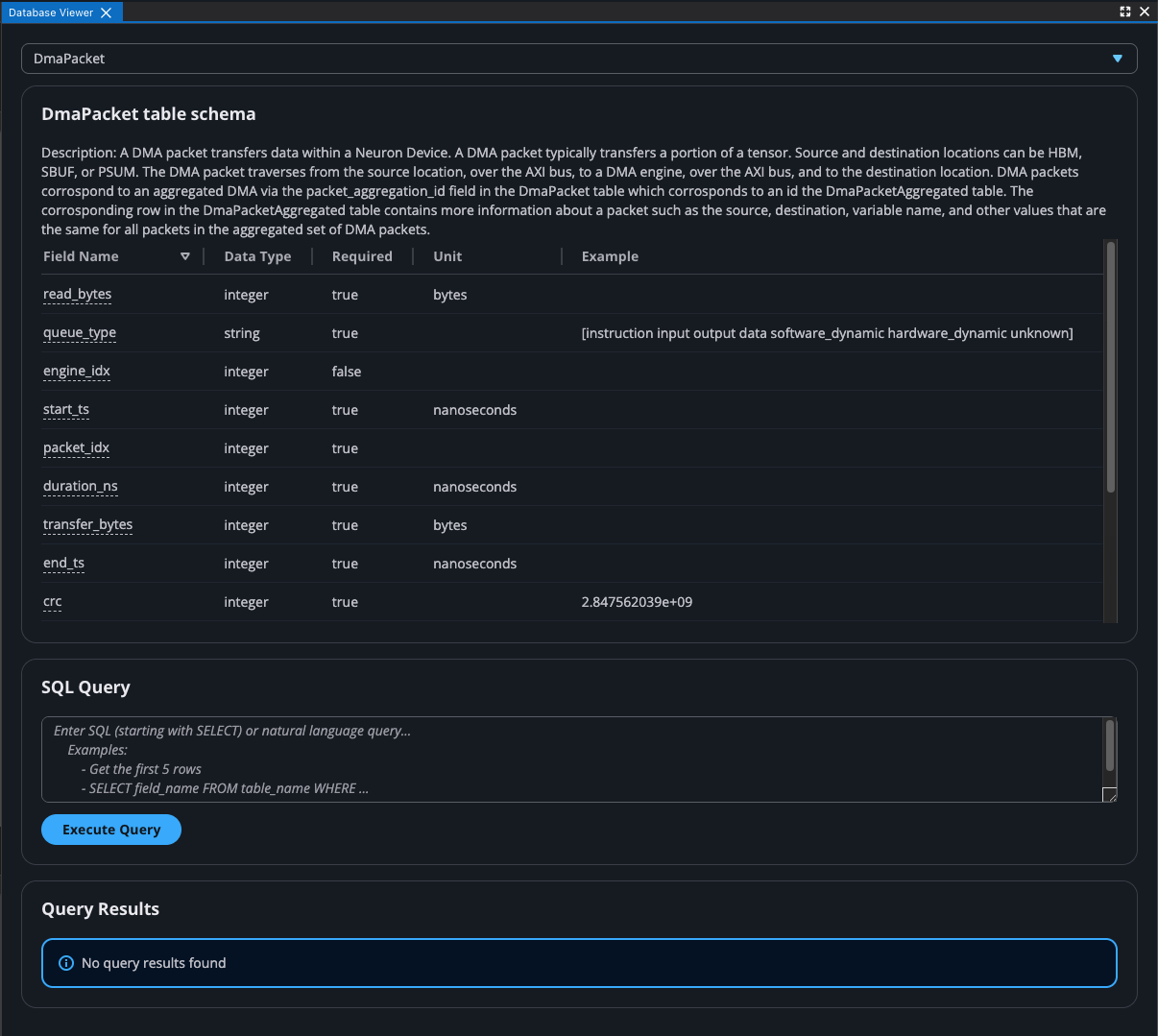
Table Selection and Schema Inspection#
When the tool loads, it fetches the list of available database tables. Select a table from the dropdown to view its schema.
The schema table displays:
Field Name - Column name (hover for description tooltip).
Data Type - The data type of the field.
Required - Whether the field is required.
Unit - Measurement unit (if applicable).
Example - Example value for the field.
Tip
For a complete, browsable reference of every table and field, see the Profile Parquet Schema Reference. It documents the same schema that the Database Viewer inspects.
Querying Data#
The query input supports two modes:
SQL queries - Write standard SQL starting with
SELECT.Natural language queries - Describe what you want in plain English.
Examples:
Natural language query to get the first 5 rows:
Get the first 5 rows
SQL query to filter with conditions:
SELECT field_name FROM table_name WHERE condition
Press Enter or click Execute Query to run. Use Shift+Enter for multi-line input.
Query Results#
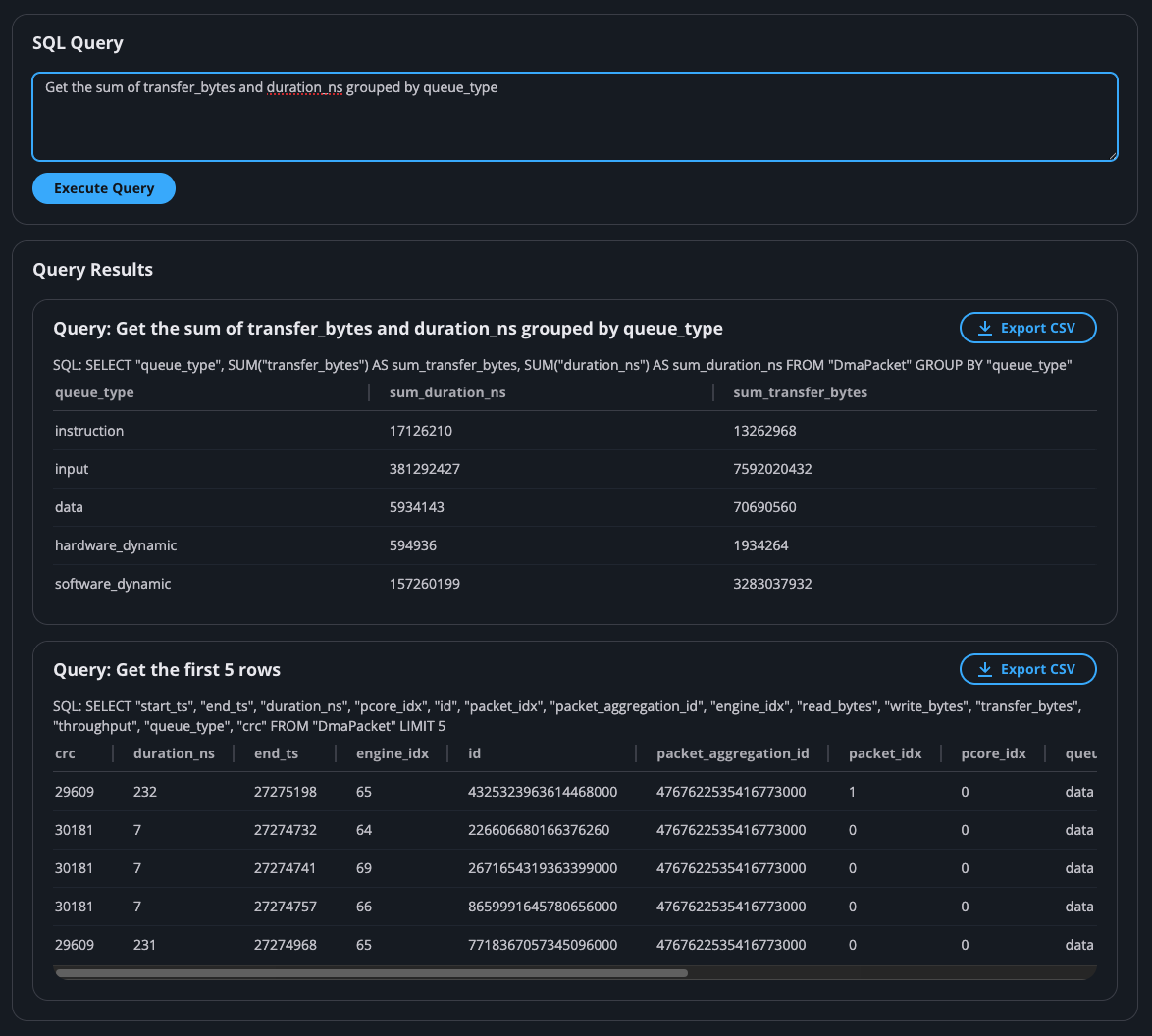
Results appear below the query input in reverse chronological order (newest first). Each result shows:
The original query text.
The generated SQL (for natural language queries).
A scrollable results table.
Click Export CSV to download any result set as a CSV file.
This document is relevant for: Inf2, Trn1, Trn2, Trn3