
This document is relevant for: Inf2, Trn1, Trn2, Trn3
AI Recommendation Viewer#
In this guide, you’ll learn how to use the AI Recommendation Viewer to identify and understand bottlenecks and optimization opportunities for NKI kernels through AI-powered analysis of the user’s profile and source code. Users receive actionable recommendations through the Neuron Explorer UI, CLI, or via their IDE. Each report provides the top 2-3 optimization opportunities ranked by effort and impact, including the symptom with quantified metrics, the optimization with implementation guidance, expected speedup estimates, and implementation tradeoffs.
The feature is entirely opt-in and only enabled for profiles that the user explicitly requests a recommendation for.
Warning
Responses in this AWS Bedrock-powered feature are AI-generated. Verify accuracy and appropriateness before use.
This feature is available in US Regions only. Neuron may securely transmit data across Regions within your geography for processing.
Your AWS account will be billed for Bedrock usage. Each time you generate an AI Recommendation for a profile, a single Bedrock request is made with up to 30,000 input tokens and 10,000 output tokens.
At the moment, this feature may only be used with Claude Sonnet 4.5.
Local setup directions#
AI Recommendations use Amazon Bedrock. To enable this feature, you must configure AWS credentials on the system you are running neuron-explorer on. The AWS credentials should have bedrock:InvokeModel permissions and access to Claude Sonnet 4.5. For information on configuring Bedrock access, refer to the AWS Bedrock model access documentation.
Getting an AI Recommendation From the UI#
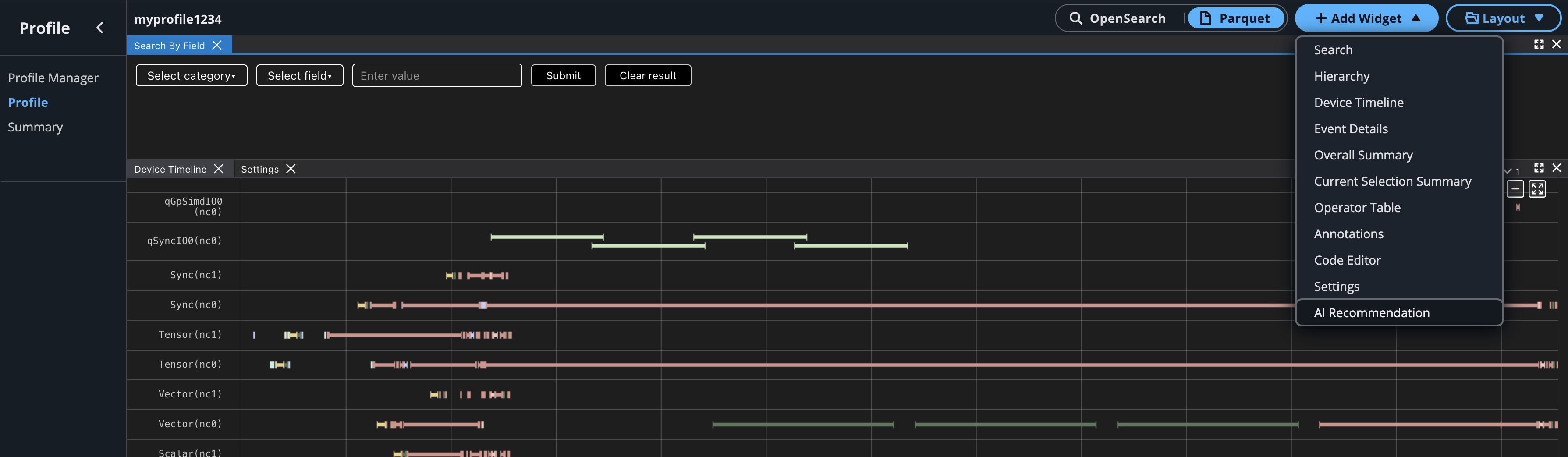
To generate an AI Recommendation from the UI open your profile, click the “Add Widget” dropdown, and select AI Recommendation.
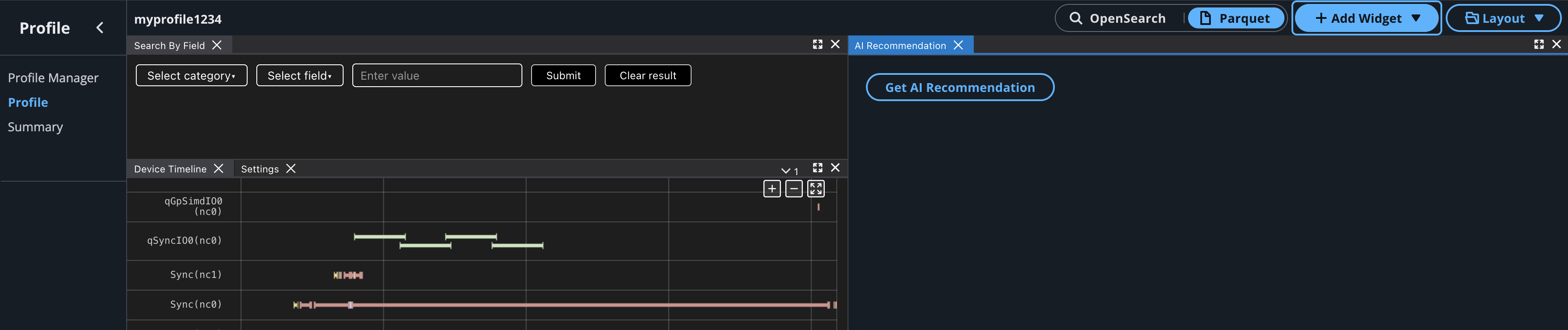
Go to the AI Recommendation widget box and click the Get AI Recommendation button. This will perform additional analysis and send the recommendation request to AWS Bedrock and can take up to a minute to generate. Avoid refreshing the page during this time.
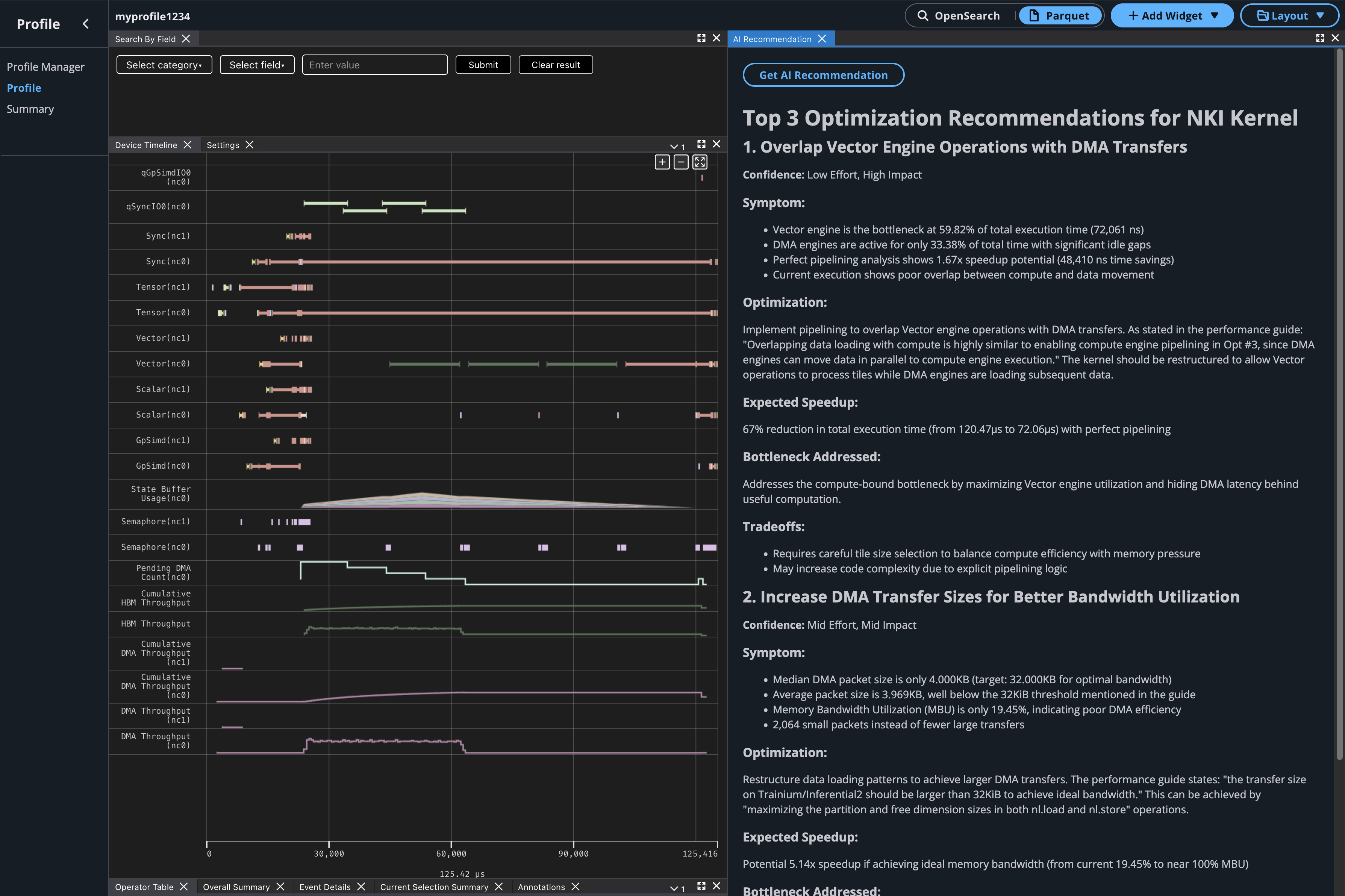
Once the recommendation has been generated it will be displayed in the widget box. For each recommendation you will see the performance inefficiency symptoms that were observed, the suggested optimization to make, and potential tradeoffs to look out for when implementing the optimizations.
Getting an AI Recommendation from the CLI#
Users may also get AI recommendations with the neuron-explorer recommend CLI command.
Before you start, ensure that you have followed the local setup directions to enable Bedrock access on your configured AWS account. neuron-explorer uses the default AWS credentials you have configured. If you will use other credentials, you can specify an AWS profile to use by setting environment variables: https://docs.aws.amazon.com/cli/latest/userguide/cli-configure-envvars.html.
To generate a recommendation, provide the following to the neuron-explorer recommend command:
A NEFF file for your compiled NKI kernel
An NTFF file for your captured profile
The location where your NKI source files can be found
Example:
neuron-explorer recommend -n </path/to/neff> -s </path/to/ntff> --nki-source-root </path/to/src/dir>
Running this command processes the profile and prints the AI-generated recommendation to the console in Markdown format. You can save this output to a file and view it in any text editor or Markdown viewer.
This document is relevant for: Inf2, Trn1, Trn2, Trn3